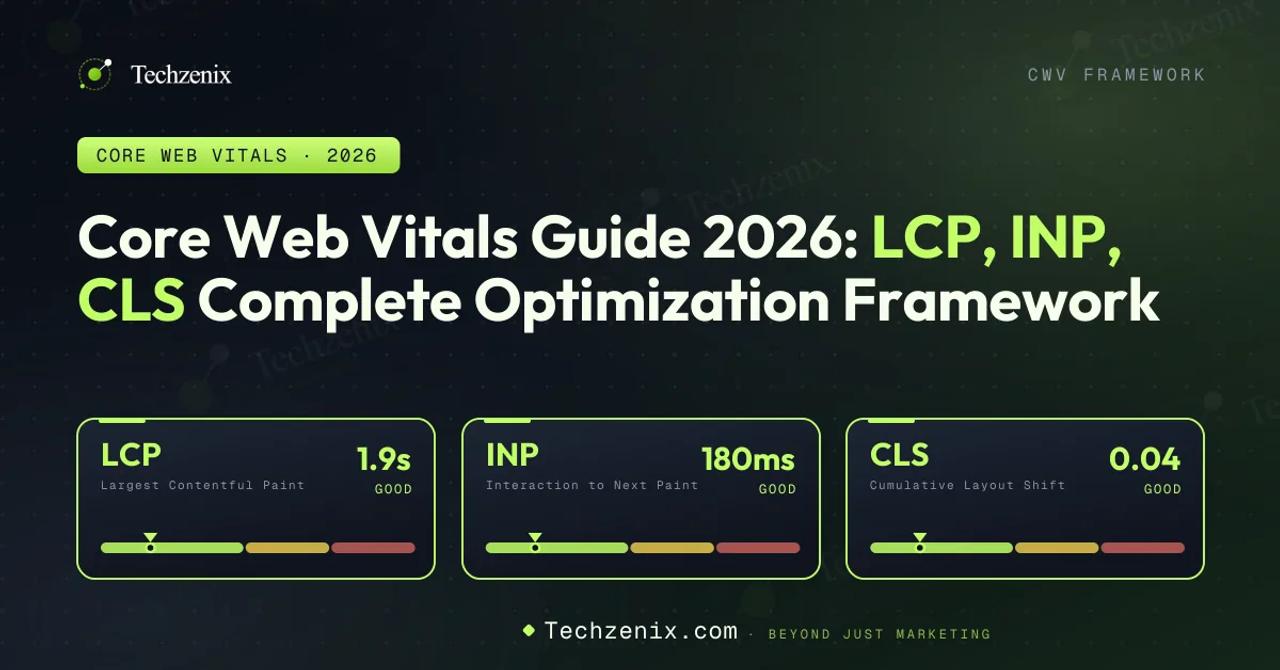
Core Web Vitals are three page-experience metrics Google uses to measure real-user experience: LCP (Largest Contentful Paint) for loading (≤2.5s), INP (Interaction to Next Paint) for responsiveness (≤200ms), and CLS (Cumulative Layout Shift) for visual stability (≤0.1).
INP officially replaced FID on March 12, 2024. To earn a "Good" rating, all three metrics must pass for at least 75% of real-user visits (p75 percentile). Core Web Vitals have been a Google ranking signal since 2021 and, in 2026, also influence visibility in AI search engines such as Google AI Overviews, Perplexity, ChatGPT Search, and Claude, because AI systems prefer citing fast, stable webpages.
Test your top 20 URLs using Google PageSpeed Insights . Identify which Core Web Vitals fail, then apply the optimization frameworks for LCP, INP, and CLS in the following sections.
1. What Are Core Web Vitals in 2026?
Core Web Vitals are three metrics Google uses to quantify real-user experience on your web pages. They measure how fast your page loads, how quickly it responds to interaction, and how much it visually shifts around during load.
Google introduced Core Web Vitals in May 2020 and made them a ranking signal in June 2021 as part of the Page Experience system. Since then, the metrics have evolved. The most significant change: on March 12, 2024, Google replaced First Input Delay (FID) with Interaction to Next Paint (INP). This wasn't a minor tweak INP measures something fundamentally different, and many sites that passed FID now fail INP.
The three current metrics measure three different things:
| Metric | What it measures | Category |
|---|---|---|
| LCP (Largest Contentful Paint) | How long it takes for the largest visible element to render | Loading performance |
| INP (Interaction to Next Paint) | How long the page takes to respond to user interaction (worst case) | Interactivity / responsiveness |
| CLS (Cumulative Layout Shift) | How much visible content unexpectedly moves during load | Visual stability |
Each metric has three bands: Good, Needs Improvement, and Poor. To pass a Core Web Vital, 75% of your real-world page loads (the p75 threshold, using data from the Chrome User Experience Report) need to fall in the Good band. If any one of the three fails, your URL is classed as failing Core Web Vitals overall.
By 2026, Core Web Vitals data flows into three practical places:
- Google Search rankings — part of the Page Experience signal, evaluated as p75 mobile CrUX data
- AI Overviews and generative search — Google uses page experience as one factor when selecting sources to cite
- Third-party AI search engines — Perplexity, ChatGPT Search, and Claude use crawl data that correlates with load performance
2. The Three Thresholds Explained
Here are the current (2026) thresholds. These have been stable since 2020 for LCP and CLS, and since March 2024 for INP.
2.1 Largest Contentful Paint (LCP)
LCP measures how long the largest visible element in the viewport takes to render. This is usually one of these elements:
- A hero image or product image
- A large above-the-fold text block (usually the H1)
- A video poster frame
- A background image on the hero section
Thresholds:
- Good: ≤ 2.5 seconds
- Needs Improvement: 2.5 – 4.0 seconds
- Poor: > 4.0 seconds
LCP is measured from navigation start to when the LCP element becomes visible. Google's guidance (from web.dev) breaks LCP into four sub-parts: TTFB (Time to First Byte), Resource Load Delay, Resource Load Duration, and Element Render Delay. Optimizing LCP means diagnosing which sub-part dominates and fixing it.
2.2 Interaction to Next Paint (INP)
INP is the newest Core Web Vital, replacing FID on March 12, 2024. Unlike FID (which only measured the delay before the first input handler ran), INP measures the full time from user interaction to the next visible paint — including JavaScript execution, layout, and painting.
INP samples all interactions on a page (clicks, taps, key presses) and reports the worst latency, ignoring outliers. For pages with fewer than 50 interactions, INP is the single worst interaction. For pages with more, it's near the 98th percentile.
Thresholds:
- Good: ≤ 200 milliseconds
- Needs Improvement: 200 – 500 milliseconds
- Poor: > 500 milliseconds
Why INP is harder than FID: FID passed if the first click handler started within 100ms. INP fails if any interaction takes more than 200ms from tap to next paint. Sites with heavy React re-renders, unoptimized event handlers, or blocking third-party scripts often fail INP after previously passing FID.
2.3 Cumulative Layout Shift (CLS)
CLS measures how much visible content unexpectedly moves during page load. Every layout shift is scored as impact fraction (percentage of viewport moved) × distance fraction (how far it moved). CLS is the sum of all shift scores from the largest "session window" during the page lifecycle.
Thresholds:
- Good: ≤ 0.1
- Needs Improvement: 0.1 – 0.25
- Poor: > 0.25
CLS is unitless think of it as a score, not a time. A CLS of 0.1 means about 10% of the viewport shifted by 100% of its distance. Common causes: images loading without dimensions, ads pushing content down, web fonts causing text reflow (FOUT), and injected banners.
3. Why Core Web Vitals Matter for SEO, AEO, GEO, and LLM Visibility

Core Web Vitals matter in 2026 for four reasons — three of them didn't exist when CWV launched.
3.1 Google SEO Impact (the classical case)
Since June 2021, Core Web Vitals have been part of Google's Page Experience ranking system. Google's own guidance (Search Central documentation) is clear: CWV is a ranking factor, evaluated at the individual URL level, using real-user data (CrUX) rather than lab tests.
Google has been consistent that Page Experience is a "tiebreaker" meaning when two URLs have equally relevant content, the one with better page experience wins. This means the marginal impact of CWV on rankings is highest for competitive commercial queries where dozens of URLs have similar content quality.
Documented impact studies from major sites:
- Rakuten 24 — reported a 15.1% conversion rate lift after CWV improvements (case study on web.dev)
- Vodafone Italy — 8% increase in sales after passing all three CWV metrics
- The Economic Times — 43% reduction in bounce rate after LCP optimization
3.2 AEO (Answer Engine Optimization) Impact
Answer Engine Optimization is the practice of optimizing content to appear as answers in Google's AI Overviews, Bing's Copilot, and similar systems. In 2024-2025, Google's own team confirmed that page experience factors including Core Web Vitals — influence which pages get selected as source citations for AI Overviews.
The mechanism: AI Overview candidate selection starts with the top ~10-20 organic results for a query. Pages within that pool that also pass Core Web Vitals get a higher citation probability. This means CWV compliance is roughly table stakes for AI Overview inclusion, not a differentiator but failing CWV effectively excludes you from the pool.
3.3 GEO (Generative Engine Optimization) Impact
Generative Engine Optimization is optimizing for citation in Perplexity, ChatGPT Search, Claude, and other AI-native search engines. These systems use their own crawlers (PerplexityBot, GPTBot, ClaudeBot) and citation graphs.
Direct CWV signals aren't part of their algorithms — but pages that consistently time out or take more than 5-8 seconds to load are less likely to be indexed. Perplexity's public documentation notes that pages with load times over 10 seconds are frequently deprioritized. Slow pages also get crawled less frequently, meaning stale content in AI knowledge bases.
Improving LCP specifically has an outsize impact on GEO because it directly correlates with crawler success rate.
3.4 LLM Search Impact
Large Language Model search engines (ChatGPT Search, You.com, Kagi's assistant) rely on document embeddings and retrieval systems. A page that fails to load consistently gets fewer embeddings, less semantic coverage, and lower citation probability.
The practical takeaway: in 2026, Core Web Vitals aren't just about Google rankings. They affect visibility across the entire AI search stack. This is why our GEO service starts with a technical SEO audit that includes Core Web Vitals compliance.
Cross-Optimize for SEO + AI Search
Techzenix optimizes Core Web Vitals as part of both traditional SEO and GEO engagements. One audit, three service lines: Technical SEO, GEO, and SEO Audit.
→ Get a Quote4. How to Measure Core Web Vitals: 7 Tools Compared
There are two categories of CWV measurement: field data (real-user measurements from actual visits, this is what Google uses for rankings) and lab data (synthetic tests in controlled environments, good for debugging).
| Tool | Data Type | Best For | Cost |
|---|---|---|---|
| PageSpeed Insights | Field (CrUX) + Lab (Lighthouse) | Quick single-URL audits | Free |
| Google Search Console: CWV report | Field (CrUX) | Site-wide health monitoring | Free |
| CrUX Dashboard / API | Field (CrUX) | Historical trends, custom analysis | Free |
| Chrome DevTools (Performance) | Lab | Deep debugging of individual pages | Free |
| Web Vitals Chrome extension | Field-like (your session) | Live browsing checks | Free |
| DebugBear | Field + Lab + Monitoring | Continuous monitoring with alerts | $$$ |
| WebPageTest | Lab (multi-location) | Deep waterfall analysis | Free / paid |
Which tool for what job?
- Weekly monitoring — Google Search Console CWV report (site-wide status)
- Debugging a specific URL — PageSpeed Insights (field + lab combined view)
- Root cause of INP failures — Chrome DevTools Performance panel with 4x CPU throttling
- Historical trends — CrUX dashboard (28-day rolling averages)
- Continuous alerts — DebugBear or SpeedCurve
- Third-party asset impact — WebPageTest with request blocking
Important: Field data (from CrUX) is what actually affects your Google rankings. Lab data (from Lighthouse or WebPageTest) can differ significantly from field data because real users have varied devices, network conditions, and interaction patterns. Always validate lab wins against field data before declaring victory.
5. LCP Optimization: The 8-Point Framework
LCP has four sub-components: TTFB (Time to First Byte), Resource Load Delay, Resource Load Duration, and Element Render Delay. Every LCP fix targets one of these four. Google's own guidance (from web.dev) shows that TTFB and Resource Load Duration are the largest contributors for most sites.
Point 1: Reduce TTFB (Time to First Byte)
Target: TTFB < 600ms at p75
TTFB is how long it takes for the first byte of HTML to reach the browser. It's affected by server processing time, network latency, and DNS resolution. The most impactful tactics:
- Deploy a CDN. Cloudflare, Fastly, Bunny.net, or AWS CloudFront cache HTML at edge locations near your users. Even for dynamic content, edge caching reduces TTFB by 200-500ms typical.
- Enable HTML edge caching. For content that changes infrequently, cache the full HTML at CDN edge (with proper cache-control headers).
- Upgrade hosting. Shared hosting typically produces 500-1500ms TTFB. Move to VPS, dedicated, or serverless (Vercel, Netlify, Cloudflare Workers).
- Optimize origin performance. Database query indexing, application-level caching (Redis, Memcached), and code profiling can shave hundreds of milliseconds off origin response time.
Point 2: Optimize the LCP Element Resource
If your LCP element is an image (which is common for 70-80% of pages):
- Serve modern formats: WebP is universally supported now; AVIF gives another 20-30% smaller files.
- Include srcset with multiple sizes so mobile devices don't download desktop-sized images.
- Use fetchpriority="high" on the LCP image (Chrome 100+, Safari 17+).
- Never lazy-load the LCP image. loading="lazy" on the hero image is a common LCP killer.
If your LCP is a text block or heading:
- Inline the CSS needed to render the above-the-fold content (critical CSS).
- Load web fonts with font-display: swap or font-display: optional.
- Preload the font file.
Point 3: Preload Critical Resources
Preloading tells the browser to fetch a resource early, before the parser reaches it. The biggest wins come from preloading the LCP image (with responsive srcset), critical web fonts, and above-the-fold CSS if externalized.
Point 4: Reduce Render-Blocking Resources
Every external CSS file and blocking JavaScript in the head delays LCP. Tactics:
- Inline critical CSS — extract the CSS needed for above-the-fold and inline it in the HTML head. Defer the rest.
- Load non-critical CSS asynchronously
- Async or defer non-critical JavaScript — async loads in parallel and executes when ready; defer loads in parallel but executes after HTML parsing.
- Move third-party scripts after LCP — chat widgets, tag managers, analytics scripts don't need to load before LCP paints.
Point 5: Eliminate Long Server Response Times
Beyond CDN caching, origin optimization matters: index database columns used in frequent queries, add application-level caching (Redis, Memcached), use async processing for non-critical operations (email sends, analytics logging), and trim API payloads.
Point 6: Optimize Images Systematically
Every image on your site should:
- Use modern formats — WebP for broad support, AVIF for maximum compression.
- Match displayed dimensions — never rely on browser downscaling. Use srcset and sizes.
- Be compressed appropriately — use tools like Sharp, ImageMagick, or Cloudinary. Aim for 80-85% quality for JPEG/WebP.
- Lazy-load below-the-fold — loading="lazy" on any image not in the initial viewport.
Point 7: Use Modern Loading Techniques
- HTTP/3 and QUIC — most CDNs enable by default. Verify with a tool like http3check.net.
- Brotli compression — 15-25% better than gzip. Enable in your CDN and origin.
- Speculation Rules API (Chrome 121+) — prerender the next likely page during idle time.
- Priority Hints — fetchpriority="high" for LCP resources, fetchpriority="low" for below-fold resources.
Point 8: Monitor and Iterate
LCP optimization is not a one-time project. Set up:
- Real User Monitoring (RUM) with the web-vitals npm package
- Alerts on p75 LCP regressions (via GSC or a monitoring tool)
- Monthly PageSpeed audits on your top 20 URLs
CrUX API pulls for historical trend tracking 6. INP Optimization: The 8-Point Framework (Post-FID)
INP requires different tactics than FID because it measures the FULL interaction latency, not just the delay before the first handler runs. Sites that comfortably passed FID often fail INP.
Point 1: Audit Your Long Tasks
Any JavaScript task longer than 50ms is called a "long task" and hurts INP. Use Chrome DevTools Performance panel to identify them: open DevTools > Performance, enable CPU throttling (4x slowdown), enable network throttling (Fast 3G), record a typical user session, look at the Main thread timeline for red-bordered bars, click each to see the call tree and identify the culprit function.
Point 2: Yield to the Main Thread
Split long tasks into chunks that yield control back to the browser. Modern approach: use scheduler.yield() if available, or setTimeout(fn, 0) as fallback. Process large lists in chunks of ~100 items and yield after each chunk.
Point 3: Debounce and Throttle Event Handlers
For frequently-firing events (scroll, resize, input, mousemove), use debounce or throttle to reduce handler invocations. Typical delay: 100-200ms for search inputs, 16-32ms for scroll handlers.
Point 4: Reduce Third-Party Impact
Third-party scripts are the number-one INP killer for most sites. For each third-party script:
- Load with async or defer attributes
- Use Partytown to move scripts to a Web Worker (removes them from the main thread entirely)
- Delay non-critical scripts (chat widgets, feedback tools, tag managers) until user interaction
- Consolidate tag managers — one Google Tag Manager container instead of multiple direct integrations
Point 5: Optimize Event Handlers
For click, input, and scroll handlers: do the minimum work synchronously — respond visually immediately, then process heavy work asynchronously. Use requestAnimationFrame for visual updates that need to happen before the next paint. Move heavy processing (parsing, sorting, filtering large arrays) to Web Workers. Batch state updates in frameworks like React.
Point 6: Reduce DOM Size
Large DOMs (over ~1,500 nodes) hurt INP because every interaction triggers style recalculation and layout across more elements. Tactics:
- Virtualize long lists — libraries like react-window render only visible items
- Use content-visibility: auto — CSS property that skips rendering offscreen elements until they scroll into view
- Remove unused DOM — audit for hidden elements that don't need to exist in the DOM
- Consider server components — modern React (Next.js App Router) can render more on the server
Point 7: Prevent Layout Thrashing
Reading and writing layout properties in loops causes reflow cascades. Batch reads first, then all writes. Don't call offsetHeight/getBoundingClientRect and then immediately set style properties in the same loop iteration.
Point 8: Test on Real Mid-Tier Devices
Lab tests on your dev machine underestimate INP dramatically. Test on:
- Mid-tier Android device (Moto G Power, Samsung A54 or equivalent)
- Throttled CPU (4x slowdown in DevTools) — simulates budget devices
- Fast 3G network throttling in DevTools — simulates real mobile networks
Your target is p75 INP under 200ms on mid-tier devices — not on the M-series MacBook your team uses.
7. CLS Optimization: The 6-Point Framework
CLS is the easiest of the three Core Web Vitals to fix because most causes are visual layout issues with straightforward solutions.
Point 1: Set Explicit Image Dimensions
Every image needs width and height attributes. The browser uses these to reserve space before the image loads. Modern browsers use these to compute the aspect ratio and reserve space, even for responsive images with CSS width: 100%; height: auto.
Point 2: Reserve Space for Ads and Embeds
For containers that load ads, videos, or third-party embeds, reserve space with CSS using aspect-ratio and min-height properties. Ad slots need explicit dimensions. Video embeds should use aspect-ratio: 16/9.
Point 3: Handle Web Fonts Without Reflow
Web fonts cause layout shift when fallback text renders first and then re-renders in the actual font (FOUT). Solutions:
- Use font-display: optional — text renders in the fallback if the web font isn't ready in 100ms
- Use font-display: swap with a size-matched fallback (using size-adjust and ascent-override)
- Preload critical fonts to reduce the window where fallback is used
Point 4: Never Insert Content Above Existing Content
Unless triggered by direct user interaction, avoid injecting:
- Cookie consent banners at the top of the viewport
- Promo bars that push content down after page load
- Newsletter modals that shift the layout
- Auto-loading "recommended for you" carousels above existing content
If you must show these, either position them absolutely (over content, not pushing it) or animate them in with transform, not layout properties.
Point 5: Use CSS Transforms for Animations
Animate transform and opacity, never layout properties like top, left, height, or width. Transforms don't trigger layout — they only trigger compositing.
Point 6: Test with Web Vitals Extension
The Web Vitals Chrome extension shows CLS in real-time. In Chrome DevTools > Rendering > "Layout Shift Regions" highlights every shift as it happens. Fix them one by one, then re-test.
8. Framework-Specific Guidance
Every framework has patterns that cause CWV problems and every framework has proven fixes. Here's the practical guidance for the four platforms Techzenix works with most often.
8.1 WordPress
Common issues: Slow TTFB from cheap shared hosting; render-blocking plugin CSS/JS (each plugin adds its own scripts); large hero images from theme demos, uncompressed; web fonts loaded via Google Fonts CDN causing FOUT.
Fixes: Move to managed WordPress hosting (Kinsta, WP Engine, Rocket.net); install a caching plugin (WP Rocket is the standard; LiteSpeed Cache if on LiteSpeed hosting); use Perfmatters or Asset CleanUp to selectively disable plugin scripts per page; self-host web fonts; enable image optimization via ShortPixel, Smush, or Imagify.
8.2 Shopify
Common issues: Theme apps injecting scripts (loyalty widgets, reviews, upsells); large product images uploaded without compression; third-party review widgets causing INP failures; Shopify's built-in app blocks adding CLS.
Fixes: Audit installed apps quarterly and remove ones you don't actively use; move review widgets to lazy-loading (Judge.me, Yotpo both support this); use Shopify's built-in image transformation via srcset with _500x, _1000x params; enable Shopify Online Store 2.0 sections which support native lazy loading; consider Hydrogen (Shopify's React framework) for headless setups with tighter CWV control.
For eCommerce specifically, our eCommerce SEO service includes a dedicated CWV audit as part of the onboarding.
8.3 Next.js / React
Common issues: Client-side rendering causing slow LCP; large JavaScript bundles hurting INP; hydration mismatches causing CLS; poorly-configured Image component causing LCP issues.
Fixes: Use Next.js 13+ App Router with React Server Components — moves work to the server; use next/image with proper priority prop on LCP images; configure next/font for automatic font optimization (no CLS from web fonts); analyze bundle with @next/bundle-analyzer; use dynamic imports for below-fold code; enable Partial Prerendering (PPR) for hybrid static/dynamic pages.
8.4 SaaS Apps and Marketing Sites
Common issues: Marketing pages built with same-app framework as the product — inheriting bundle bloat; auth check scripts blocking the main thread on public pages; heavy A/B testing scripts (Optimizely, VWO) causing INP failures.
Fixes: Consider a separate marketing site (Astro, Next.js, or plain HTML) instead of the app framework; move auth checks to server-side or make them non-blocking; use flicker-free A/B testing (via CDN edge rewrites) instead of client-side; split the app bundle so public pages don't include product-specific code.
Our SaaS SEO framework includes CWV optimization guidance specific to product-led growth teams.
9. Core Web Vitals and AI Search: The 2026 Angle

This is the section most Core Web Vitals guides in 2026 still miss. AI search engines — Google AI Overviews, Perplexity, ChatGPT Search, Claude — use different signals than classical Google search, but page experience still matters. Here's how.
9.1 Google AI Overviews
Google's AI Overviews (the AI-generated answer boxes that appear above organic results for many queries) draw from Google's live index. The candidate pool is essentially the top ~10-20 organic results, filtered further by content quality signals and page experience factors.
What this means practically: if your page fails Core Web Vitals, it's less likely to enter the AI Overview candidate pool for your target queries. Optimizing CWV is a prerequisite for AI Overview inclusion, not a differentiator.
Recommended action: identify your top 20 organic queries. Test the URLs currently ranking for those queries at PageSpeed Insights. Any URL failing CWV needs to be prioritized for optimization.
9.2 Perplexity, ChatGPT Search, and Claude
These AI-native search engines rely on their own crawlers (PerplexityBot, GPTBot / ChatGPT-User, ClaudeBot). They visit pages, extract content, and add them to citation graphs.
Direct CWV scores aren't part of their ranking algorithms — but load performance affects three things they do care about:
- Crawl success rate. Pages that time out (typically after 10-15 seconds) don't get indexed.
- Crawl frequency. Slow pages get crawled less often, so their content in the citation graph goes stale faster.
- User retention. When AI tools cite your page and users click through, slow pages get more bounces — which is likely to become a training signal over time.
9.3 The Practical AI Search Framework
For AI search visibility (what we call GEO — Generative Engine Optimization — see our GEO service page), Core Web Vitals matter as follows:
| AI Search Engine | CWV Priority | What Matters Most |
|---|---|---|
| Google AI Overviews | High | All three metrics passing (entry to candidate pool) |
| Perplexity | Medium | LCP (crawl success rate) |
| ChatGPT Search | Medium | LCP (crawl success rate) |
| Claude Search | Medium | LCP (crawl success rate) |
| Bing Copilot | Medium-High | LCP and INP (Bing has similar signals to Google) |
10. Common Core Web Vitals Mistakes That Kill Rankings
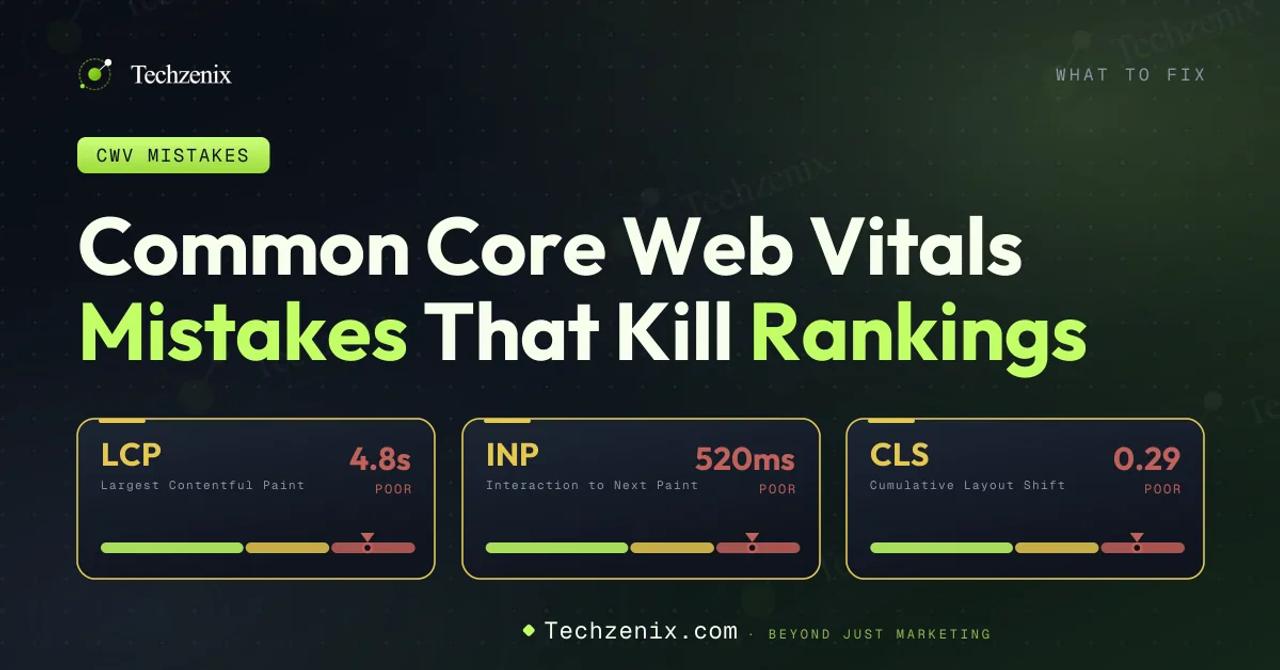
Ten years of technical SEO work says the same mistakes come up repeatedly. Here they are, ranked by frequency.
Mistake 1: Optimizing lab scores instead of field data
Lab tests (Lighthouse in DevTools) can show green scores while your real users experience red-band CWV. This is because lab tests use a controlled environment (Simulated Slow 4G, Moto G Power CPU) that doesn't match your real user base. Always validate lab wins against CrUX field data in Google Search Console before declaring victory.
Mistake 2: Lazy-loading the LCP image
Adding loading="lazy" to every image is a common WordPress plugin default — and it destroys LCP when it lazy-loads the hero image. Audit above-the-fold images and remove lazy loading from anything visible in the initial viewport.
Mistake 3: Ignoring third-party scripts
Chat widgets, tag managers, and analytics tools are the #1 cause of INP failures. Teams often assume they're "just JavaScript" and can't be optimized. Reality: most third-party scripts support delayed loading, and Partytown or Google Tag Manager Server-Side can eliminate main-thread impact entirely.
Mistake 4: Assuming CDN alone fixes TTFB
Enabling a CDN helps TTFB for cached content — but if your CDN misses (dynamic pages, personalized content), TTFB is still limited by origin server performance. Optimize both the CDN and the origin.
Mistake 5: Focusing on desktop instead of mobile
Google uses mobile CrUX data for ranking evaluation. If your desktop LCP is 1.5s and mobile is 4.5s, your ranking signal is 4.5s. Test on mobile-throttled DevTools settings, not desktop.
Mistake 6: Not measuring INP separately from FID
Some sites still rely on old FID measurement dashboards. FID measurement was deprecated in early 2024 and replaced with INP. If your tooling doesn't measure INP specifically, you're flying blind on the current ranking signal.
Mistake 7: Fixing metrics in isolation
Some optimization tactics help one metric while hurting another. Preloading everything can hurt LCP by fighting for bandwidth. Reducing DOM aggressively can improve INP but hurt content quality signals. Balance — use tools like WebPageTest to validate that a change actually improves overall performance.
Mistake 8: Ignoring the p75 threshold
Google uses p75 for CWV ranking — meaning 75% of visits must be in the "Good" band. Optimizing average performance is misleading if your slow-tail users pull the p75 into the "Poor" band. Look at your slowest 25% of visits and understand what's making them slow.
11. The 30/60/90-Day Core Web Vitals Optimization Roadmap
A practical roadmap for teams starting a Core Web Vitals project. This is the same framework Techzenix uses for client engagements.
Days 1-30: Audit and Baseline
- Day 1-3: Set up measurement — GSC verification, PageSpeed Insights audits of top 20 URLs, RUM setup with web-vitals library
- Day 4-10: CrUX historical analysis — pull 6 months of historical data, identify which metric is the biggest problem
- Day 11-20: Deep-dive on the top 5 most-visited failing URLs — Chrome DevTools performance profiling, third-party audit
- Day 21-30: Prioritized fix list — severity × effort matrix, quick wins vs. platform changes
Days 31-60: Quick Wins
- Day 31-40: Deploy quick wins — image optimization, lazy loading fixes, font-display changes, preload directives
- Day 41-50: Third-party script optimization — defer non-critical, move to Partytown where possible, consolidate tag managers
- Day 51-60: Re-audit and measure — expect 30-50% improvement in field metrics for URLs with clean quick-win execution
Days 61-90: Structural Fixes
- Day 61-75: Platform-level changes — hosting upgrades, CDN configuration, framework upgrades if needed
- Day 76-85: Complex fixes — INP optimization for interactive pages, JS bundle splitting, DOM size reduction
Day 86-90: Final measurement and reporting — CrUX data comparison against baseline, business impact analysis Conclusion and Next Steps
Core Web Vitals in 2026 are more consequential than they were in 2021. They still affect Google rankings — but they also affect AI Overview inclusion, GEO citation rates, and LLM search indexing. A failing CWV score costs visibility across the entire search stack, not just one engine.
The good news: the optimization playbook is well-understood. LCP fixes come from reducing TTFB, optimizing the LCP element, and cutting render-blocking resources. INP fixes come from reducing long tasks, third-party script impact, and event handler overhead. CLS fixes come from reserving space, handling fonts correctly, and using CSS transforms for animations.
For most sites, a 90-day disciplined project can move from Poor to Good on all three metrics. The measurable impact — on organic traffic, on AI Overview inclusion, on conversion typically justifies the effort within a single quarter.
If you'd like Techzenix to run this project for you, our technical SEO service includes a full Core Web Vitals audit and 90-day optimization roadmap. We also handle the ongoing monitoring so metrics don't regress.
Frequently asked questions
Is Core Web Vitals still a ranking factor in 2026?+
Yes. Google's Page Experience system has been an active ranking signal since June 2021, and Core Web Vitals are the main component. It's classified as a "tiebreaker" meaning it matters most for competitive queries where content quality is similar across URLs.
When did INP replace FID?+
INP officially replaced FID on March 12, 2024. FID measurement tools still work but the data no longer feeds Google's ranking signals.
What's the difference between INP and FID?+
FID measured only the delay before the first input handler could run. INP measures the full time from any user interaction to the next visual paint including JavaScript execution, layout, and rendering. INP is harder to pass because it captures cases where the input handler starts quickly but the resulting update is slow.
Does Google use lab data or field data for rankings?+
Field data (from the Chrome User Experience Report / CrUX). Lab data (Lighthouse in PageSpeed Insights) is useful for debugging but doesn't affect rankings.
How often does Google update CWV data?+
CrUX data is updated monthly at the URL level. Google Search Console reflects a 28-day rolling window. For debugging purposes, you can query real-time data via the CrUX API.
Do I need to pass all three metrics or just one?+
All three. A URL is only classified as "passing Core Web Vitals" if it's in the "Good" band on all three metrics at p75 (75th percentile).
What is p75 and why does Google use it?+
p75 (75th percentile) is the value below which 75% of measurements fall. Google uses p75 (not average) to reflect the experience of most users, not just the fast ones. Optimizing for average performance often misses slow-tail users who pull the p75 into "Poor".
Does Core Web Vitals affect AI Overviews?+
Indirectly, yes. Google AI Overviews draw from the top organic results, and Page Experience factors (including CWV) influence which URLs enter that candidate pool. Passing CWV is roughly table stakes for AI Overview inclusion.
How do I optimize CWV for a large ecommerce site with thousands of URLs?+
Prioritize by traffic and revenue. Get CrUX data for your top 100 URLs by organic traffic. Fix them in priority order. Template-level fixes (product page template, category page template) scale across thousands of URLs at once. Structural fixes (hosting, CDN, framework) affect every URL.
How long does it take to see rankings improve after CWV fixes?+
CrUX data reflects a 28-day rolling window, so field metrics take about 4 weeks to fully reflect changes. Ranking improvements are typically visible 6-12 weeks after CWV fixes, though the effect is often more visible in stable competitive rankings than in dramatic position jumps.
What tools does Techzenix use for CWV monitoring?+
Google Search Console for site-wide health, PageSpeed Insights for URL-level diagnosis, Chrome DevTools for debugging, and DebugBear for continuous monitoring with alerts on client engagements above $5K/month retainer.
Are there any 2026 changes to Core Web Vitals we should watch for?+
Google has publicly discussed potentially adding new metrics around visual stability during interaction and around scroll performance. No official launch dates announced as of August 2026. Follow the web.dev blog and the Google Search Central blog for updates.

Ali Hamza is an SEO specialist and digital marketer with 7+ years of experience in SEO, content strategy, WordPress, and online growth marketing. He shares practical insights and industry-based strategies focused on improving search visibility, user experience, and long-term organic growth.