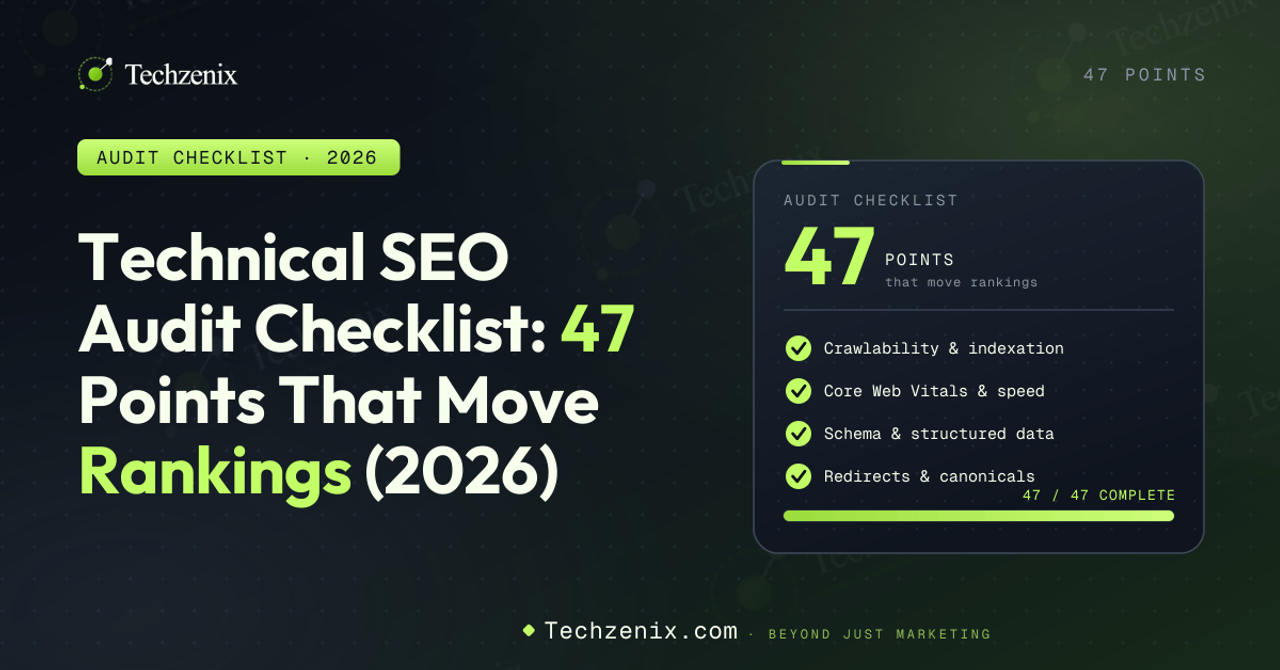
A technical SEO audit is the systematic review of a website's infrastructure to identify issues blocking crawlability, indexation, performance, schema, and AI search visibility. This 47-point checklist for 2026 organizes those checks across the Technical SEO Priority Pyramid: Layer 1 Crawlability (12 points), Layer 2 Architecture (8 points), Layer 3 Core Web Vitals (10 points), Layer 4 Schema (6 points), Layer 5 AI Search readiness (6 points), plus 5 bonus specialized checks. Each point in this checklist includes its severity, estimated fix time, verification method, and tools required. A complete audit takes a working professional 25 days; a skilled agency typically delivers it in 5-7 days.
Most technical SEO checklists fail buyers in three ways: they treat every check as equally important, they skip the 2026-specific changes (INP replacing FID, AI search readiness), and they leave you with a 100-item list with no idea where to start. This one fixes all three.
The 47 points below are organized by the Technical SEO Priority Pyramid, classified by severity (Critical, High, Medium, Low), and tagged with time-to-fix estimates. Work bottom-up: Layer 1 broken means Layers 2-5 are wasted effort. Inside each layer, fix Critical findings first.
This post is a supporting deep-dive in our broader Technical SEO Guide for 2026, which establishes the Priority Pyramid framework this checklist follows. Read the pillar guide first for full context on each layer. 1. What is a technical SEO audit?
A technical SEO audit is a structured evaluation of your website's technical infrastructure against a defined set of criteria. It identifies issues that block search engines (Google, Bing) and AI engines (ChatGPT, Perplexity, Claude, Google AI Overviews) from crawling, rendering, indexing, understanding, and citing your content.
Unlike content audits (which evaluate what your pages say) or backlink audits (which evaluate who links to you), a technical audit focuses on how your site is built and configured. It is the foundation that determines whether your content and link-building efforts have any chance of producing results.
What a technical SEO audit covers
Crawlability: Can search engines and AI bots reach all your important pages?
Indexation: Once crawled, do pages get added to search indexes?
Site architecture: Is your URL structure logical and your internal linking effective?
Performance: Do you meet Core Web Vitals thresholds (LCP, INP, CLS)?
Rendering: Can search engines fully render your JavaScript content?
Structured data: Is schema markup deployed correctly for rich results?
Mobile usability: Does your mobile experience match desktop quality?
Security: Are HTTPS, certificates, and access controls properly configured?
International setup: Are hreflang tags and geo-targeting correct (if applicable)?
AI search readiness: Are AI bots allowed and entity architecture established?
What a technical SEO audit does NOT cover
A technical audit does not evaluate content quality, keyword targeting, backlink profile strength, conversion rate optimization, or brand strategy. Those are separate audits. Confusing the boundaries leads to scope creep and unfocused execution.
2. Why technical SEO audits matter in 2026
Technical SEO audits have always been important. In 2026 they are critical because the technical bar has risen across three dimensions simultaneously: Core Web Vitals enforcement is stricter (INP replaced FID in March 2024), AI search engines require entity architecture beyond traditional SEO, and competitive baselines have improved.
Three specific shifts since 2023
INP enforcement: FID was easy to pass; INP is significantly harder. Sites that passed Core Web Vitals in 2023 may now fail without any code changes on their end.
AI bot landscape: GPTBot, PerplexityBot, ClaudeBot, and Google-Extended all crawl the web with different policies. Sites that haven't updated robots.txt since 2023 are silently making policy decisions they didn't intend.
Schema for AI engines: Schema markup that was a nice-to-have in 2023 is now critical for AI citation eligibility. Sites without proper Organization, Person, and Article schema struggle to be cited by AI engines.
The cost of skipping audits
Sites that don't audit regularly accumulate technical debt that compounds. A single misconfigured canonical tag can wipe out an entire URL's ranking potential. A broken sitemap can hide hundreds of pages from indexation. A blocked AI bot can eliminate citation opportunity overnight. None of these issues announce themselves; they only surface in traffic loss six months later, by which point recovery takes another six months.
3. How to use this checklist
There are three ways to work through the 47 points:
Option A: Sequential (recommended)
Work through points 1-47 in order. The numbering follows the Priority Pyramid: foundation first, then up. This is the safest approach because each layer builds on the previous one.
Option B: By severity
Filter for Critical findings first across all 47 points, fix those, then return to High findings, then Medium, then Low. This is faster for triaging an emergency but risks missing structural issues.
Option C: By layer (for partial audits)
If you only have time for one layer, run Layer 1 (Crawlability). It produces the highest impact per hour invested. Layer 5 (AI Search) is the highest-leverage in 2026 if you've already covered Layers 1-4 previously.
4. The severity classification system
Each of the 47 points carries a severity rating:
| Severity | Definition | Response time | Examples |
|---|---|---|---|
| Critical | Blocks indexing or causes significant ranking damage | Fix within 48 hours | Accidental noindex, wrong canonicals, AI bots accidentally blocked |
| High | Causes measurable ranking loss or missed opportunity | Fix within 2 weeks | Failing Core Web Vitals, missing key schema, broken canonical chains |
| Medium | Suboptimal but not actively harming rankings | Fix within 1-3 months | Minor URL inconsistencies, suboptimal internal linking, missing minor schema |
| Low | Marginal improvement opportunity | Fix as bandwidth allows | Cosmetic schema additions, micro-optimizations, edge case URL parameters |
Most audits identify 3-7 Critical findings, 10-20 High findings, and 30+ Medium/Low findings. Prioritize Critical first; never let a Critical finding sit while you work on Low items.
5. Tools required for the full audit
No single tool covers all 47 points. The chart below maps which tools handle which sections of the checklist. Free tools cover roughly two-thirds of the audit; paid tools fill the gaps.
Figure 1: Tool requirements per checkpoint section. Free tools handle 32 of 47 points.
For the recommended setup, expect to spend $150-300 per month total across paid tools. Most agencies use this stack or a superset; you do not need exotic enterprise tools to run a competent audit.
Before we get into the points themselves, here is how they are distributed across the Priority Pyramid layers:
Figure 2: The 47 audit points organized by Priority Pyramid layer. Layer 1 has the most checks because it's the foundation.
6. Layer 1: Crawlability & Indexation (Points 1-12)
Layer 1 is the foundation. If Google or AI bots cannot crawl and index your pages, nothing else matters. Run these 12 checks first.
☐ #1robots.txt exists, returns 200, and allows Googlebot
Severity: CriticalEst. time: 15 minutes
What to check: Visit yoursite.com/robots.txt in a browser. Confirm the file exists, returns HTTP 200, and does not have a global 'Disallow: /' directive blocking all crawlers.
Why it matters: A misconfigured robots.txt can block your entire site from search engines. This is the single most common cause of catastrophic SEO failures during site migrations or staging-to-production deploys.
How to verify: Open robots.txt in browser. Run Google Search Console robots.txt Tester. Confirm Googlebot user-agent has Allow access to all critical sections.
☐ #2robots.txt explicitly addresses AI bots (GPTBot, PerplexityBot, ClaudeBot, Google-Extended)
Severity: HighEst. time: 30 minutes
What to check: Open robots.txt and check whether AI bot user-agents are explicitly allowed or disallowed. Default robots.txt files don't address these bots, which means you're making a passive policy decision without realizing it.
Why it matters: AI search engines drive growing traffic. Blocking them unintentionally eliminates citation opportunities. Allowing them when you intended to block them gives your content to AI training data without consent. Either way, the decision should be explicit.
How to verify: Open robots.txt. Look for User-agent directives for GPTBot, ChatGPT-User, PerplexityBot, ClaudeBot, Google-Extended, CCBot. If absent, add them with intentional Allow or Disallow per your brand policy.
☐ #3XML sitemap exists, auto-updates, and contains only indexable URLs
Severity: HighEst. time: 1 hour
What to check: Locate your XML sitemap (usually at yoursite.com/sitemap.xml). Verify it auto-generates from your CMS, updates when content changes, and contains only canonical URLs you want indexed.
Why it matters: A clean sitemap is Google's primary discovery mechanism. Sitemaps with broken URLs, noindex pages, or 404s waste crawl budget and signal poor site quality.
How to verify: Open sitemap.xml in browser. Spot-check 10 random URLs for HTTP 200 status. Run sitemap through Screaming Frog's sitemap mode. Verify no noindex or redirected URLs included.
☐ #4Sitemap submitted to Search Console and Bing Webmaster Tools
Severity: HighEst. time: 10 minutes
What to check: In Google Search Console, navigate to Sitemaps. Confirm your sitemap is submitted and shows 'Success' status. Repeat in Bing Webmaster Tools.
Why it matters: Unsubmitted sitemaps mean Google relies entirely on internal links for discovery. Submission accelerates crawl coverage by 60-80 percent based on Search Console data we've seen across audits.
How to verify: Search Console → Sitemaps → confirm 'Success' status with recent 'Last read' date. Bing Webmaster Tools → Sitemaps section.
☐ #5Sitemap excludes noindex pages, 404s, and redirected URLs
Severity: MediumEst. time: 1-2 hours
What to check: Cross-reference sitemap URLs against your crawl data. Remove any URLs that are noindex, return 404, or redirect to another page.
Why it matters: Including non-indexable URLs in your sitemap signals confused site architecture. It wastes crawl budget Google could spend on indexable pages.
How to verify: Export sitemap URLs. Crawl them in Screaming Frog with 'sitemap mode.' Filter for non-200 responses. Filter for noindex. Remove all from sitemap source.
☐ #6No accidental noindex tags on production pages
Severity: CriticalEst. time: 30 minutes (audit), variable (fix)
What to check: Crawl your site and identify every page with a noindex tag. Verify each one is intentional. The most common Critical finding in technical audits.
Why it matters: A single accidental noindex on a key page can wipe out its ranking potential. Staging environments often deploy with site-wide noindex; if not removed during launch, the entire production site becomes invisible.
How to verify: Screaming Frog crawl → filter 'Directives' tab for noindex. Cross-reference each against your intentional noindex list (admin, search results, etc.). Investigate any unexpected entries.
☐ #7Canonical tags are self-referencing on every indexable page
Severity: HighEst. time: 2-4 hours
What to check: Every indexable page should declare itself as canonical via <link rel="canonical" href="this-page-url">. Confirm this is true site-wide.
Why it matters: Missing self-referencing canonicals leave pages vulnerable to duplicate content issues from URL parameters, tracking tags, or scraper sites. Self-canonicalization is the cleanest defense.
How to verify: Screaming Frog crawl → Canonical tab → confirm 'Self Referencing' shows your full indexable URL count. Investigate any URLs canonicalizing to different URLs.
☐ #8No canonical chains (A→B→C); all variants point to final canonical
Severity: HighEst. time: 1-3 hours
What to check: When canonical A points to B, and B points to C, Google may not follow the chain. All variants should point directly to the final canonical URL.
Why it matters: Canonical chains dilute the canonical signal and can cause Google to choose its own canonical, potentially the wrong one.
How to verify: Screaming Frog crawl → Canonical tab → look for canonicals pointing to URLs that themselves have non-self-referencing canonicals. Fix by updating intermediate canonicals to point to final URL.
☐ #9HTTPS implemented with valid certificate and no mixed content
Severity: CriticalEst. time: 1-3 days
What to check: Site is served via HTTPS with a valid (non-expired) SSL/TLS certificate. No HTTP resources (images, scripts, CSS) loaded on HTTPS pages.
Why it matters: Non-HTTPS sites are penalized by Google. Mixed content (HTTP resources on HTTPS pages) triggers browser warnings and degrades user trust. HTTPS is non-negotiable for any modern site.
How to verify: Browser DevTools → Security tab → confirm 'Connection is secure.' Run Mozilla Observatory or SSL Labs scan. Check Search Console Coverage report for 'Page with redirect' or HTTP-related errors.
☐ #10Single domain version indexed (no www/non-www, http/https duplicates)
Severity: HighEst. time: 1-2 hours
What to check: Pick one canonical version (e.g., https://www.site.com) and 301-redirect all others to it. All internal links should use the canonical version.
Why it matters: Multiple indexable domain versions create duplicate content at scale. Google may split ranking signals across versions, weakening overall site performance.
How to verify: Try accessing http://site.com, https://site.com, http://www.site.com, https://www.site.com. Confirm three of the four 301-redirect to the canonical version. Check Search Console for both www and non-www properties.
☐ #11404 pages return proper 404 status (not soft 404)
Severity: MediumEst. time: 2-4 hours
What to check: Pages that don't exist should return HTTP 404 status code. 'Soft 404s' are pages that look like 404 content but return 200 status. Search Console identifies these specifically.
Why it matters: Soft 404s confuse search engines about which pages are valid. They waste crawl budget and create indexation noise. Real 404s are the clean signal.
How to verify: Search Console → Coverage → 'Soft 404' tab. Visit each URL and confirm whether it should redirect, return real 404, or be fixed to return proper content.
☐ #12Search Console Coverage report shows no critical errors
Severity: CriticalEst. time: 30 minutes (review), variable (fix)
What to check: Open the Coverage report in Search Console. Confirm 'Error' count is zero or all errors are intentional and documented.
Why it matters: Search Console's Coverage report is Google's direct view of your indexation health. Errors here are issues Google has actively encountered, not theoretical problems.
How to verify: Search Console → Pages → review 'Not indexed' reasons. Investigate each category: server errors (5xx), crawled but not indexed, discovered but not indexed, etc.
Layer 1 milestone
If you have worked through points 1-12 and resolved all Critical findings, your site is now crawlable and indexable. The hard part is done. Layers 2-5 add quality and competitive edge but cannot compensate for broken Layer 1. 7. Layer 2: Site Architecture & URL Structure (Points 13-20)
Layer 2 ensures search engines understand how your pages relate to each other. Good architecture distributes authority efficiently and helps Google identify which pages matter most.
☐ #13Important pages within 3 clicks of homepage
Severity: HighEst. time: 2-6 hours
What to check: Map click-depth for all indexable pages. Top-priority pages (key categories, money pages) should be reachable in 3 clicks or fewer from the homepage.
Why it matters: Pages buried 5+ clicks deep get crawled less frequently, accumulate less internal authority, and rank worse than equivalent shallow pages. Architecture flattening is one of the highest-impact technical improvements.
How to verify: Screaming Frog crawl → 'Crawl Depth' column. Filter for depth >3. Review whether each deep page should be promoted via internal linking.
☐ #14No orphan pages (every indexable URL has at least one internal link)
Severity: MediumEst. time: 1-3 hours
What to check: Cross-reference all indexable URLs with internal link data. Pages with zero internal inbound links are 'orphans' and exist only because of external links or sitemap inclusion.
Why it matters: Orphan pages don't receive internal authority. Google may de-prioritize them. They also signal navigational issues to crawlers.
How to verify: Screaming Frog crawl → 'Orphan Pages' report (requires sitemap or Google Analytics integration). For each orphan, add at least one contextual internal link from a relevant page.
☐ #15URL structure uses lowercase, hyphens, and descriptive slugs
Severity: MediumEst. time: Site-wide audit: 1-2 hours; fixes vary
What to check: URLs should use lowercase letters, hyphens (not underscores), and descriptive words. Avoid query parameters, special characters, and meaningless IDs in canonical URLs.
Why it matters: Clean URLs are easier for search engines to parse, more shareable for users, and signal site quality. Mixed-case or special-character URLs cause duplicate content and citation issues.
How to verify: Screaming Frog → URL filter for uppercase, underscores, special characters. Document offenders. For high-traffic offenders, plan 301-redirect to clean URL.
☐ #16No URL parameters creating duplicate content (or properly canonicalized)
Severity: HighEst. time: 2-6 hours
What to check: URL parameters (?ref=, ?utm_source=, faceted filters) often create indexable duplicates of the same page. Each variant should canonical to the parameter-free version or be handled via Search Console parameter settings.
Why it matters: Parameter sprawl is a top-5 cause of crawl budget waste on ecommerce and content sites. Thousands of variants can be crawled for every canonical page.
How to verify: Screaming Frog crawl → identify URLs with parameters. Verify canonical points to parameter-free version. Configure Search Console URL Parameters tool for tracking parameters.
☐ #17Breadcrumb navigation implemented site-wide
Severity: MediumEst. time: 1-3 days
What to check: Every page (except homepage) should have visible breadcrumb navigation showing the path back to the homepage through category hierarchy.
Why it matters: Breadcrumbs improve user experience, signal hierarchy to Google, and enable BreadcrumbList schema for SERP breadcrumb display.
How to verify: Visit pages at different hierarchy depths. Confirm breadcrumbs visible. Check page source for BreadcrumbList schema (covered in point 33).
☐ #18Internal linking distributes authority logically
Severity: MediumEst. time: Ongoing
What to check: Authority pages (homepage, top categories, well-linked content) should link to pages you want to rank. Anchor text should be descriptive, not generic ('click here').
Why it matters: Internal linking is the most controllable ranking lever you have. Strategic internal linking can lift target pages significantly without external link building.
How to verify: Ahrefs Site Audit or Screaming Frog → internal links report. Audit anchor text distribution for target pages. Look for opportunities to add contextual internal links from high-authority pages.
☐ #19No broken internal links (404 internal links resolved)
Severity: HighEst. time: 2-6 hours
What to check: All internal links should point to URLs that return HTTP 200. Broken internal links waste crawl budget and create dead-ends for users.
Why it matters: Broken internal links signal site quality issues to Google and degrade user experience. They accumulate over time as content is moved or deleted.
How to verify: Screaming Frog crawl → 'Response Codes' tab → filter for 4xx. Identify source pages linking to each broken URL. Update or remove links.
☐ #20Site hierarchy reflects content topical clusters
Severity: MediumEst. time: Initial planning: 1 week
What to check: URL structure and internal linking should reflect logical topical clusters. Related content connects to itself; unrelated content does not.
Why it matters: Topical clusters signal subject-matter authority to Google. A clear hub-and-spoke structure for each topic outperforms scattered content on the same topics.
How to verify: Map your top 5-10 content topics. For each, identify a hub page and supporting cluster pages. Verify internal linking connects them. Identify gaps.
8. Layer 3: Performance & Core Web Vitals (Points 21-30)
Layer 3 covers performance metrics that are direct Google ranking signals. INP replaced FID in March 2024, significantly raising the responsiveness bar.
☐ #21LCP under 2.5 seconds on mobile (75th percentile)
Severity: HighEst. time: 1-4 weeks
What to check: Largest Contentful Paint should be under 2.5 seconds for at least 75 percent of real users on mobile. Test via PageSpeed Insights and Search Console Core Web Vitals report.
Why it matters: LCP is a direct Google ranking signal. Sites that fail LCP rank measurably worse than sites that pass. The mobile threshold is what matters; mobile-first indexing has been the default since 2023.
How to verify: PageSpeed Insights → enter URL → check 'Largest Contentful Paint' in Core Web Vitals Assessment. Search Console → Core Web Vitals report for site-wide trends.
☐ #22INP under 200ms on mobile (75th percentile)
Severity: HighEst. time: 2-8 weeks
What to check: Interaction to Next Paint should be under 200ms for at least 75 percent of real users on mobile. INP measures all interaction responsiveness, not just first input.
Why it matters: INP replaced FID in March 2024 as a Core Web Vital. Sites that passed FID may fail INP without any code changes. This is the metric most agencies are still catching up on.
How to verify: PageSpeed Insights → check INP in Core Web Vitals Assessment. Chrome DevTools Performance panel → record interactions and measure response time.
☐ #23CLS under 0.1 on mobile (75th percentile)
Severity: HighEst. time: 1-3 weeks
What to check: Cumulative Layout Shift should be under 0.1 for at least 75 percent of real users on mobile. CLS measures unexpected layout shifts during page load.
Why it matters: Pages with high CLS feel broken to users. Ads injecting late, fonts swapping, or images loading without reserved space all cause measurable CLS damage.
How to verify: PageSpeed Insights → check CLS in Core Web Vitals Assessment. Lighthouse → Performance audit identifies specific elements causing layout shifts.
☐ #24Images optimized (modern format, proper dimensions, lazy-loaded)
Severity: HighEst. time: 1-2 weeks
What to check: Images should use modern formats (WebP, AVIF), be sized appropriately for display dimensions, and use lazy-loading for below-the-fold images.
Why it matters: Unoptimized images are the #1 cause of poor LCP scores. They also waste bandwidth and degrade mobile experience on slow connections.
How to verify: Lighthouse audit → 'Properly size images' and 'Serve images in next-gen formats' opportunities. Manual spot-check on key pages.
☐ #25Render-blocking JavaScript and CSS minimized
Severity: HighEst. time: 1-3 weeks
What to check: JavaScript and CSS should not block initial page render. Critical CSS should be inlined; non-critical CSS/JS should be deferred or loaded asynchronously.
Why it matters: Render-blocking resources delay LCP and degrade perceived performance. Even small render-blocking files compound across visitors.
How to verify: Lighthouse audit → 'Eliminate render-blocking resources' opportunity. Identifies specific files and their impact in milliseconds.
☐ #26CDN used for static assets
Severity: MediumEst. time: 1-2 days
What to check: Static assets (images, CSS, JavaScript, fonts) should be served via a Content Delivery Network with global edge locations.
Why it matters: CDNs reduce latency for users far from your origin server. They also reduce origin server load and improve uptime. Free or low-cost CDN options (Cloudflare, Bunny, KeyCDN) make this accessible for any site.
How to verify: Visit your site and check Network tab in DevTools. Static asset domain should be a CDN endpoint, not your origin domain. Test from multiple geographic locations via WebPageTest.
☐ #27Server response time (TTFB) under 600ms
Severity: HighEst. time: Variable (infrastructure changes)
What to check: Time to First Byte (TTFB) from your server should be under 600ms in PageSpeed Insights. Slower TTFB delays everything downstream.
Why it matters: TTFB is the foundation of LCP. You cannot achieve good LCP if your TTFB is poor. Slow TTFB usually indicates inadequate server resources, slow database queries, or unoptimized backend code.
How to verify: PageSpeed Insights → 'Reduce initial server response time' opportunity. WebPageTest → first byte timing across multiple test locations.
☐ #28Critical CSS inlined for above-the-fold content
Severity: MediumEst. time: 1-3 weeks
What to check: CSS required to render above-the-fold content should be inlined in the HTML. The rest of CSS can be loaded asynchronously or deferred.
Why it matters: Inlined critical CSS eliminates render-blocking for the visible portion of the page, improving LCP and perceived speed significantly.
How to verify: View source on key pages. Look for <style> tags with above-fold CSS in head. Many CMS plugins automate this (WP Rocket, Autoptimize for WordPress).
☐ #29Font loading optimized (font-display: swap or optional, preload critical fonts)
Severity: MediumEst. time: 2-4 hours
What to check: Web fonts should not block rendering. Use font-display: swap (or optional) and preload critical font files.
Why it matters: Slow-loading fonts cause invisible text (FOIT) during page load, hurting perceived performance and contributing to CLS when fonts finally swap.
How to verify: Inspect <link rel='preload'> tags for fonts. Check CSS for font-display property. Lighthouse 'Ensure text remains visible during webfont load' opportunity.
☐ #30Third-party scripts deferred or async loaded
Severity: HighEst. time: 1-2 weeks
What to check: Third-party scripts (analytics, chat widgets, marketing tools) should be deferred or loaded asynchronously, never blocking page rendering.
Why it matters: Third-party scripts are a major source of INP failures in 2026. A single slow third-party script can fail an otherwise-perfect page.
How to verify: DevTools Network tab → third-party script loading order. Lighthouse → 'Reduce the impact of third-party code' diagnostic.
9. Layer 4: Structured Data & Schema Markup (Points 31-36)
Layer 4 covers schema markup that enables rich results in Google and citation eligibility in AI engines.
☐ #31Organization schema on homepage with sameAs links
Severity: HighEst. time: 2-4 hours
What to check: Homepage should have JSON-LD Organization schema including name, logo, URL, contact information, and sameAs links to all official social profiles (LinkedIn, Twitter, Facebook, YouTube, Wikipedia if applicable).
Why it matters: Organization schema is the foundation of entity recognition for both Google's Knowledge Graph and AI engine entity resolution. Without it, you appear as a generic website rather than a recognized brand entity.
How to verify: View homepage source. Search for 'application/ld+json' script tags. Validate at validator.schema.org. Confirm Organization type with required fields and sameAs array.
☐ #32Article schema on all blog posts (author, datePublished, dateModified, publisher)
Severity: HighEst. time: 1-3 days
What to check: Every blog post and article should have Article (or BlogPosting) schema including headline, author (with @type Person), datePublished, dateModified, publisher (with logo), and image.
Why it matters: Article schema triggers Top Stories carousel eligibility, article rich results, and AI Overview citation eligibility. The author field is critical for E-E-A-T signals.
How to verify: Rich Results Test on 5-10 article URLs. Confirm Article rich result eligible. Verify author field links to author page with Person schema.
☐ #33BreadcrumbList schema site-wide
Severity: MediumEst. time: 1-2 days
What to check: Every page (except homepage) should have BreadcrumbList schema reflecting the visible breadcrumb navigation.
Why it matters: BreadcrumbList schema triggers breadcrumb display in SERPs, improving CTR and signaling site hierarchy to Google.
How to verify: Rich Results Test on 5-10 deep pages. Confirm Breadcrumbs rich result eligible. Validate position and item URLs in the schema array.
☐ #34Person/Author schema on author bios
Severity: HighEst. time: 1-2 days
What to check: Every author bio page (and the author reference in Article schema) should use Person schema with name, url, image, jobTitle, worksFor (Organization), sameAs (LinkedIn, X, etc.), and knowsAbout (expertise areas).
Why it matters: In 2026, Author schema is critical for AI engine citations. AI engines preferentially cite content from named, verifiable expert authors.
How to verify: Visit author pages. View source. Confirm Person schema with full field set. Cross-reference sameAs URLs to ensure they resolve to real profiles.
☐ #35FAQ schema on pages with question-answer content
Severity: MediumEst. time: 1-2 weeks
What to check: Pages with genuine FAQ content should use FAQPage schema with each question and answer marked up. Schema content must match visible page content exactly.
Why it matters: FAQ schema triggers People Also Ask boxes, supports AI Overview citations, and improves voice search responses.
How to verify: Rich Results Test on FAQ pages. Confirm FAQ rich result eligible. Validate question/answer pairs match visible content (Google can penalize mismatches).
☐ #36Product/LocalBusiness/HowTo schema as applicable to business model
Severity: HighEst. time: 1-2 weeks
What to check: Ecommerce sites need Product schema on product pages. Local businesses need LocalBusiness schema. Tutorial sites need HowTo schema. Each schema type triggers different rich results.
Why it matters: Schema types unique to your business model are competitive advantages. Most competitors deploy generic schema; specialized schema (Product offers, LocalBusiness map pack, HowTo steps) creates SERP differentiation.
How to verify: Identify which schema types match your content. Rich Results Test specific pages. Verify required fields and recommended fields per Google documentation.
10. Layer 5: AI Search Readiness (Points 37-42)
Layer 5 is the 2026 differentiator. Most competitor checklists skip these entirely. Sites that complete Layer 5 win citations in ChatGPT, Perplexity, Claude, and Google AI Overviews while competitors stay invisible.
☐ #37AI bots allowed in robots.txt (or intentional block documented)
Severity: CriticalEst. time: 30 minutes
What to check: robots.txt should explicitly address GPTBot, ChatGPT-User, PerplexityBot, ClaudeBot, Google-Extended, and CCBot. Decision should be intentional (allow or disallow), not default.
Why it matters: Without explicit policy, you're either blocking AI bots that crawl restrictively or allowing AI bots that crawl permissively. Either outcome may not match your brand intent.
How to verify: Open robots.txt. Check for User-agent directives for each AI bot. If absent, decide and document the policy explicitly.
☐ #38Entity architecture established (canonical Organization, Person, topical entities)
Severity: HighEst. time: 2-4 weeks
What to check: Site should have clear entity architecture: Organization schema on homepage, Person schema on every author bio, topical cluster pages establishing subject-matter authority entities.
Why it matters: AI engines work on entities, not just keywords. Strong entity architecture is the #1 factor in AI citation rates.
How to verify: Audit Organization schema for completeness. Verify every author has Person schema. Map topical clusters and confirm each has a hub page with entity-style content.
☐ #39Citation-worthy content signals (original research, data, expert quotes)
Severity: MediumEst. time: Ongoing
What to check: Content should include original research, specific data, named expert quotes, and unique frameworks. Generic restatement of common knowledge does not get cited by AI engines.
Why it matters: AI engines preferentially cite content with information that doesn't exist elsewhere. Original data and expert insights are the strongest citation signals.
How to verify: Audit top 20 pages for citation-worthy elements: original surveys, proprietary data, named expert quotes, custom frameworks. Identify content with none of these and plan to enrich.
☐ #40Community signal alignment (consistent presence on Reddit, Quora, YouTube, Wikipedia)
Severity: MediumEst. time: Ongoing
What to check: Brand should have consistent presence across community platforms AI engines use for validation: Reddit, Quora, YouTube, Wikipedia. Same brand name, same description, same key facts.
Why it matters: AI engines validate authority through community signals. Brands cited frequently in these venues have measurably higher AI citation rates.
How to verify: Search brand name in Reddit, Quora, YouTube, Wikipedia. Verify presence. Audit consistency of brand name, description, and key facts across platforms.
☐ #41Visible publish/update dates on all content
Severity: LowEst. time: 2-4 hours
What to check: Every content page should display the publish date and last-updated date prominently and include both in Article schema.
Why it matters: AI engines prefer current content. Visible dates signal freshness; absent dates create uncertainty about content currency.
How to verify: Spot-check 10 content pages. Confirm publish date visible. Confirm dateModified field in schema matches visible date.
☐ #42Author bios with verifiable credentials linked from each post
Severity: HighEst. time: 1-2 weeks
What to check: Every content page should link to an author bio page with verifiable credentials: LinkedIn link, professional achievements, expertise area, awards or speaking engagements.
Why it matters: AI engines weight cited content by author authority. Anonymous or low-credential authors get cited less. Verifiable credentials are the strongest authorial signal.
How to verify: Visit 5-10 content pages. Confirm author byline links to dedicated bio page. Bio page should have LinkedIn link, expertise statement, and credentials.
11. Bonus: Specialized Checks (Points 43-47)
These 5 cross-cutting checks don't fit neatly into one Priority Pyramid layer but matter for specific site types or scenarios.
☐ #43Mobile usability passes Google's Mobile-Friendly Test
Severity: HighEst. time: Site-wide audit: 1-2 hours; fixes vary
What to check: Site should pass Google's Mobile-Friendly Test on all key page templates. No content wider than screen, touch targets sized appropriately (48x48px), readable font sizes (16px minimum body text).
Why it matters: Mobile-first indexing has been the default since 2023. Mobile usability failures directly affect mobile rankings.
How to verify: Search Console → Mobile Usability report (now part of Page Experience). Manual test on real mobile devices, not just emulators.
☐ #44Hreflang correctly implemented for multi-language sites
Severity: HighEst. time: 1-3 weeks
What to check: Sites with multiple language or regional versions should have hreflang tags on every page. Self-referencing, reciprocal, with x-default fallback. Language codes (en) and country codes (US) standardized.
Why it matters: Incorrect hreflang causes Google to serve the wrong language version, dropping rankings in target regions. International SEO failures are silent and hard to diagnose without specific testing.
How to verify: Screaming Frog crawl with hreflang reports. Validate at hreflang.org tester. Confirm reciprocal hreflang on at least 20 sample URL pairs.
☐ #45JavaScript content fully rendered (test as Googlebot)
Severity: CriticalEst. time: 1-2 days (audit); SSR migration if needed
What to check: Critical content rendered via JavaScript should be visible to Googlebot. Test by fetching as Googlebot or viewing rendered DOM via URL Inspection in Search Console.
Why it matters: Single-page applications and JavaScript-heavy sites frequently fail to render their content for crawlers, becoming invisible despite working perfectly for users.
How to verify: Search Console → URL Inspection → 'Test live URL' → 'View tested page' → 'HTML' tab. Verify content visible. Compare with browser-rendered DOM.
☐ #46No intrusive interstitials triggering mobile penalty
Severity: HighEst. time: 1-2 days
What to check: Mobile pages should not display intrusive interstitials (full-page popups blocking content) on first visit from search. Exception: legal cookie consent, age verification.
Why it matters: Google's intrusive interstitial penalty specifically targets popups that block content on mobile. Affected pages lose ranking signal and CTR.
How to verify: Visit site on mobile from Google search. If any full-screen popup appears before content, evaluate for intrusive interstitial classification.
☐ #47No malware flags, manual actions, or security warnings
Severity: CriticalEst. time: Variable
What to check: Search Console should show no Manual Actions or Security Issues. Browser should show no SafeBrowsing warnings. Site should not be flagged by VirusTotal or similar scanners.
Why it matters: Manual actions and security flags effectively de-index your site or trigger warning interstitials in browsers. They cause catastrophic traffic loss until resolved.
How to verify: Search Console → Security & Manual Actions. Run site through VirusTotal and Google Safe Browsing checker. Address any flags immediately. 12. How to prioritize: Severity × Effort Matrix
After completing the 47-point audit, you'll have 30-60 findings. The Severity × Effort matrix below tells you which to fix first.
Figure 3: Severity × Effort matrix for prioritizing audit findings. Quick wins first, then plan high-severity high-effort items, batch low-severity quick fixes, deprioritize rest.
How to apply the matrix
Take each audit finding and plot it on the severity (Y-axis) and effort (X-axis) scales.
Start with the Quick Wins quadrant (top-left). These produce the highest impact per hour.
Plan Quadrant 2 (top-right) items as multi-week projects with proper scoping.
Batch Quadrant 3 (bottom-left) items into a single working session.
Document Quadrant 4 (bottom-right) items but don't prioritize them until other work clears.
13. The 4-week audit execution timeline
If you're running the audit yourself, plan 25 working days across 4 weeks. The structure below balances thorough coverage with sustainable execution.
Figure 4: The recommended 4-week audit execution timeline. 25 working days from crawl to delivered report.
Skilled agencies can compress this to 5-7 days with multiple specialists working in parallel. Solo practitioners should plan the full 4 weeks. Trying to compress further produces shallow audits that miss issues.
14. Common mistakes during technical SEO audits
Across hundreds of audits, certain mistakes appear repeatedly. The 8 below cause more than 80 percent of failed or incomplete audits.
Auditing without a framework. Running unstructured checks misses dependencies between layers. Always follow the Priority Pyramid bottom-up.
Treating every finding as Critical. If everything is Critical, nothing is. Force yourself to classify findings honestly — most are High or Medium, not Critical.
Skipping mobile testing. Desktop testing misses 90 percent of mobile-specific issues. Mobile is the primary index since 2023.
Testing lab data instead of real-user data. PageSpeed Insights lab data is one machine; real-user data (CrUX) is your actual visitors. Both matter, but CrUX is what Google ranks on.
Ignoring AI bot policy. Many audits still skip Layer 5. In 2026, that's a 12.8 percent coverage gap that competitors are exploiting.
No documentation. Audits without written deliverables disappear from organizational memory in 60 days. Every audit should produce a permanent document.
No re-audit schedule. Technical issues recur. Sites that audit once and never again accumulate technical debt within months.
Audit without fix authority. Running an audit you can't act on wastes time. Confirm developer/agency access to implement fixes before starting.
15. When to DIY vs hire an agency
Not every site needs an agency to run a technical SEO audit. Decision criteria:
| Run audit yourself if... | Hire an agency if... |
|---|---|
| Site is small (under 500 indexable URLs) | Site is large or complex (5,000+ URLs, ecommerce, SaaS) |
| Site is on a standard CMS (WordPress, Shopify, Squarespace) with default config | Site uses custom or headless framework (Next.js, Gatsby, custom) |
| You have technical skills (HTML, basic JavaScript, server access) | You don't have technical depth or developer support |
| You have 25 working days available | You need the audit completed in under 2 weeks |
| The audit is a one-time exercise | You need ongoing technical SEO management |
| Budget under $1,500 | Budget $2,500-$15,000+ for a thorough audit |
For decision support specific to your situation, see our analysis of in-house SEO vs agency SEO. For agency selection, work through our how to hire a digital marketing agency framework and use the SEO RFP template to vet candidates. Conclusion and next steps
A 47-point technical SEO audit is comprehensive, but the framework is simple: work bottom-up through the Priority Pyramid, classify findings by severity, prioritize with the Severity × Effort matrix, and execute on a 4-week timeline. The discipline is in the consistency, not the complexity.
Three things worth keeping after closing this checklist:
Layer 1 is non-negotiable. Crawlability failures block everything downstream. The 12 points in Layer 1 should be 100 percent clean before any time is spent on Layers 2-5.
Severity beats volume. A site with 5 Critical findings clean is healthier than a site with 30 Medium findings clean and 1 Critical finding outstanding.
AI Search readiness is the 2026 differentiator. Layer 5 is what most competitors skip. Sites that complete it win citations that competitors stay invisible for.
Your next step depends on where you are. If you suspect technical issues but aren't sure where to start, request a free 47-point audit from us using any of the CTAs in this checklist. If you want to handle the audit yourself, work through points 1-47 over 4 weeks using the timeline in Section 13. If you've already engaged an SEO agency, the 47-point checklist is also a useful framework for auditing their deliverables. For the broader Technical SEO framework that this checklist supports, see our pillar guide on Technical SEO for 2026.
Frequently asked questions
What is a technical SEO audit?+
A technical SEO audit is a structured evaluation of a website's technical infrastructure against defined criteria. It identifies issues blocking crawlability, indexation, performance, schema, and AI search readiness. This checklist organizes those checks across 47 points in the Priority Pyramid framework.
How long does a technical SEO audit take?+
A complete 47-point audit takes a working professional 25 days (4 weeks). Agencies with specialist teams typically deliver in 5-7 days by parallelizing the work. Quick scan audits (3-5 days) are useful for triage but miss roughly 30 percent of issues that surface only with deeper investigation.
How often should I do a technical SEO audit?+
Minimum annually for stable sites. Quarterly for actively-growing or actively-published sites. After every major change (redesign, replatform, migration, CMS upgrade). Search Console Core Web Vitals and Coverage reports should be checked weekly to catch new issues.
How much does a technical SEO audit cost?+
DIY: $0-$300 in tool costs. Freelancers: $500-$2,500. SMB-focused agencies: $1,500-$5,000. Mid-market agencies: $5,000-$15,000. Enterprise agencies: $15,000+. See our breakdown of digital marketing agency pricing for full cost analysis.
Can I do a technical SEO audit for free?+
Yes, for small sites with standard configurations. Use Google Search Console, PageSpeed Insights, and Schema Markup Validator (all free). For larger sites, Screaming Frog Free version crawls up to 500 URLs. Beyond that, expect $150-300/month in paid tool costs.
What's the difference between a technical SEO audit and a regular SEO audit?+
A technical SEO audit focuses on infrastructure: crawlability, performance, schema, AI search readiness. A general SEO audit also covers content quality, keyword targeting, and backlink profile. Technical audits answer 'can search engines work with this site?' General audits answer 'should search engines rank this site?' For audit deliverables, see our SEO audit service for full scope.
What's the most important technical SEO check?+
There is no single most important check; the Priority Pyramid addresses this. If Layer 1 (Crawlability) is broken, nothing else matters start there. Within Layer 1, the most common Critical findings are accidental noindex tags (point #6) and broken canonical tags (points #7-8). If those are clean, prioritize Core Web Vitals (points #21-23) and AI bot policy (#37).
What is technical SEO?+
Technical SEO is the practice of optimizing a website's infrastructure so search engines and AI engines can crawl, render, index, understand, and cite content. For full coverage of the concept and framework, see our pillar guide on Technical SEO for 2026.
How do you perform a technical SEO audit?+
Follow the 4-week timeline in Section 13: Week 1 crawl and Layer 1, Week 2 Layers 2-3, Week 3 Layers 4-5, Week 4 bonus checks and reporting. Use the tools mapped in Section 5. Classify findings by severity and prioritize with the Severity × Effort matrix in Section 12.
What are the benefits of a technical SEO audit?+
Audits identify issues that block ranking potential before they cause traffic loss. They prioritize fixes by impact so engineering hours go to the highest-leverage work. They produce documentation that survives team turnover. And they baseline current state so improvement over time is measurable. The cost of skipping audits is silent technical debt that compounds for 6-12 months before surfacing as traffic loss.
Why is a technical SEO audit important?+
Because technical issues block all other SEO work. A site with great content but broken Layer 1 underperforms a site with average content and clean Layer 1. The audit is the diagnostic that tells you whether your technical foundation is producing rankings or blocking them.
Is a technical SEO audit different for ecommerce sites?+
The 47 points are the same, but emphasis shifts. Ecommerce sites need stronger focus on Product schema (point 36), URL parameter handling (point 16), faceted navigation crawl budget (point 16), and site architecture depth (point 13). See our breakdown of best ecommerce SEO agencies for vertical-specific guidance.
What is technical SEO audit software?+
The 5 most-used tools: Google Search Console (free, essential), PageSpeed Insights (free, essential), Screaming Frog SEO Spider ($259/year, essential), Schema Markup Validator (free, essential), and Ahrefs or SEMrush ($129-$140/month, recommended). For AI search citation tracking (Layer 5), Profound or Otterly.ai ($99-$499/month) are the 2026 leaders.

Ali Hamza is an SEO specialist and digital marketer with 7+ years of experience in SEO, content strategy, WordPress, and online growth marketing. He shares practical insights and industry-based strategies focused on improving search visibility, user experience, and long-term organic growth.